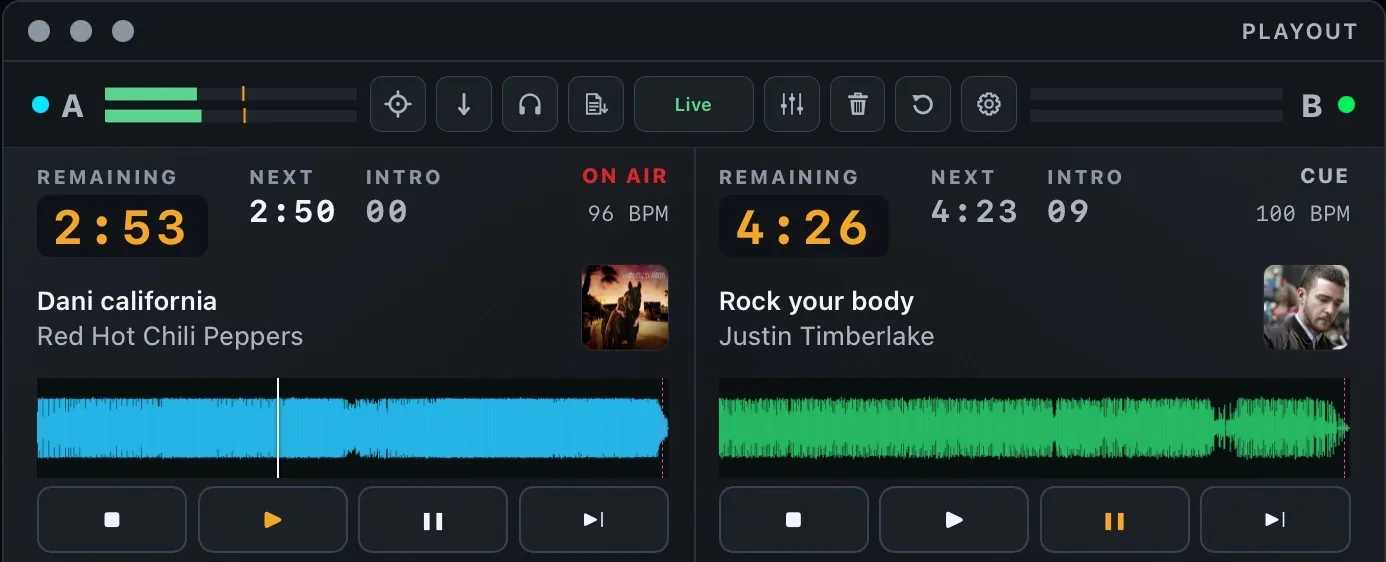
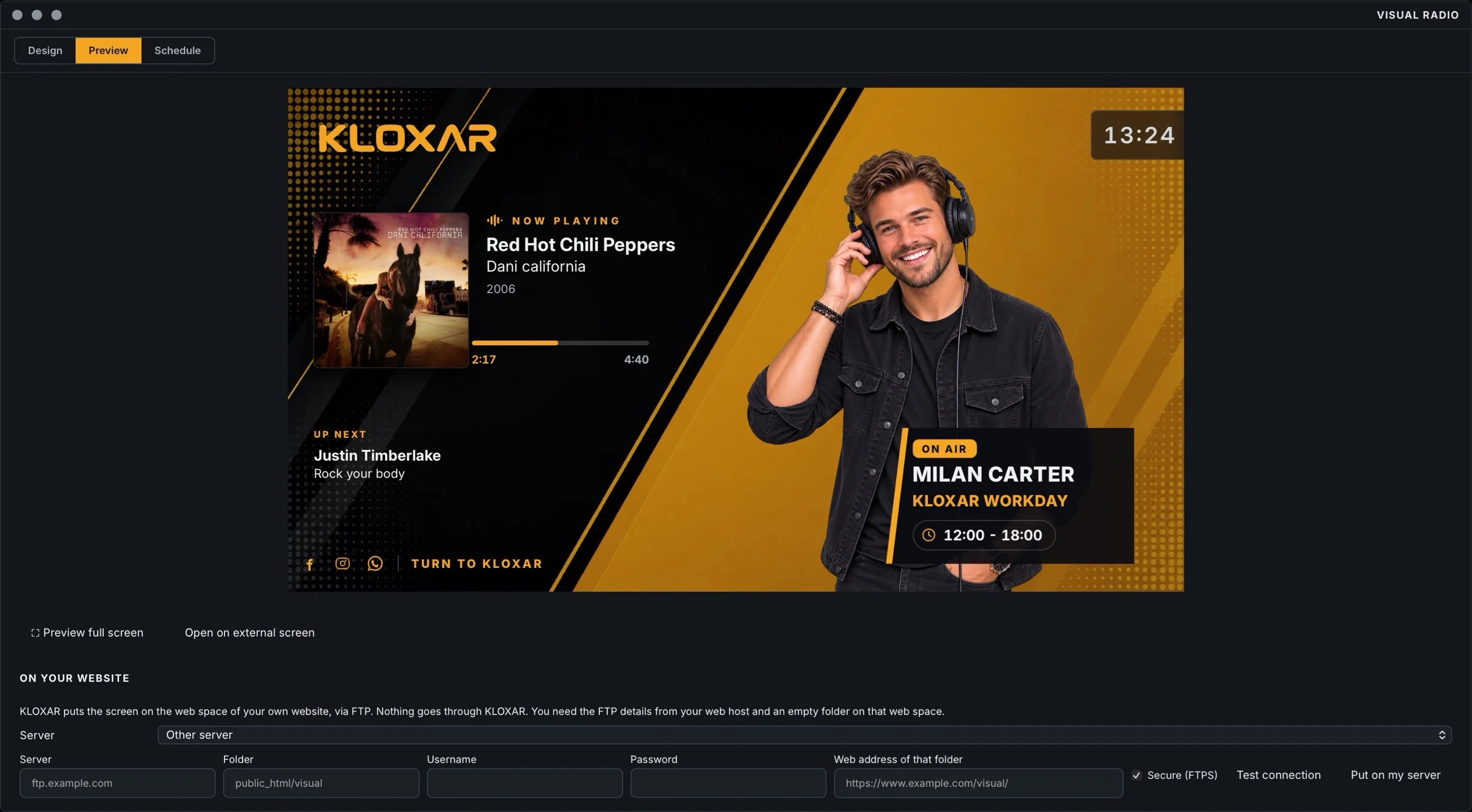
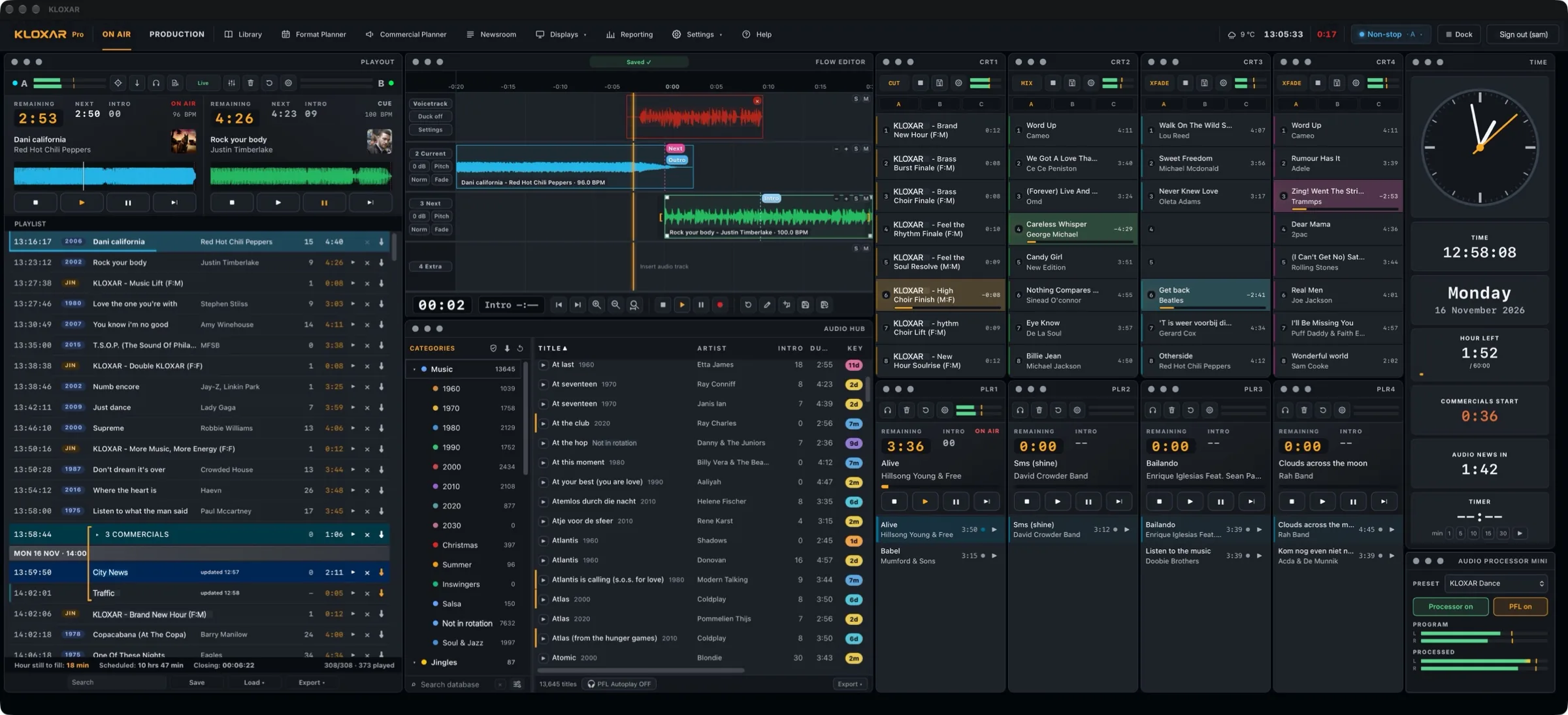
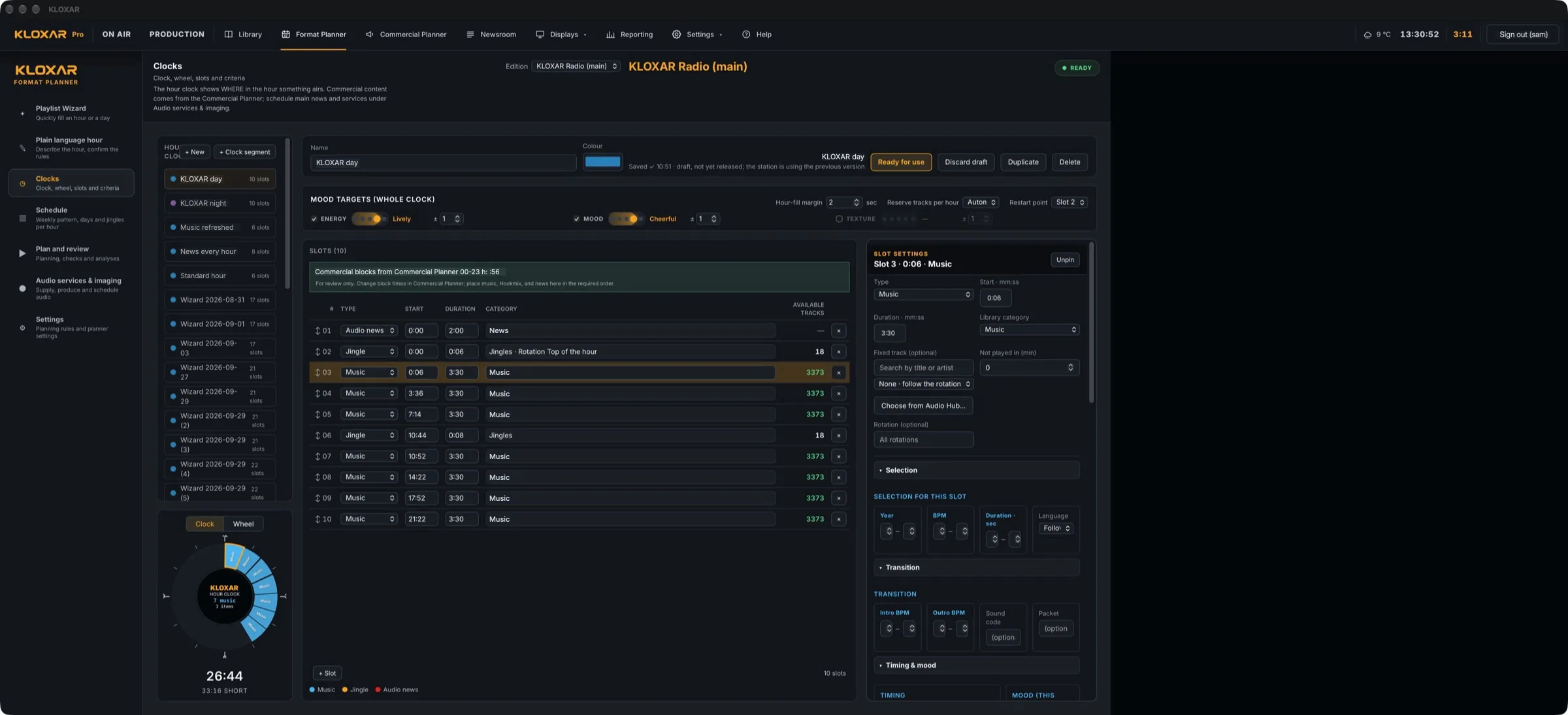
First we show you a few screens. Then you can try it yourself: click the menu bar, open windows via the Dock and drag them where you want. Everything you see is the real screen.
Control your whole station from one program. On Mac or Windows. In a real app, not a browser version.
Everything in one place.
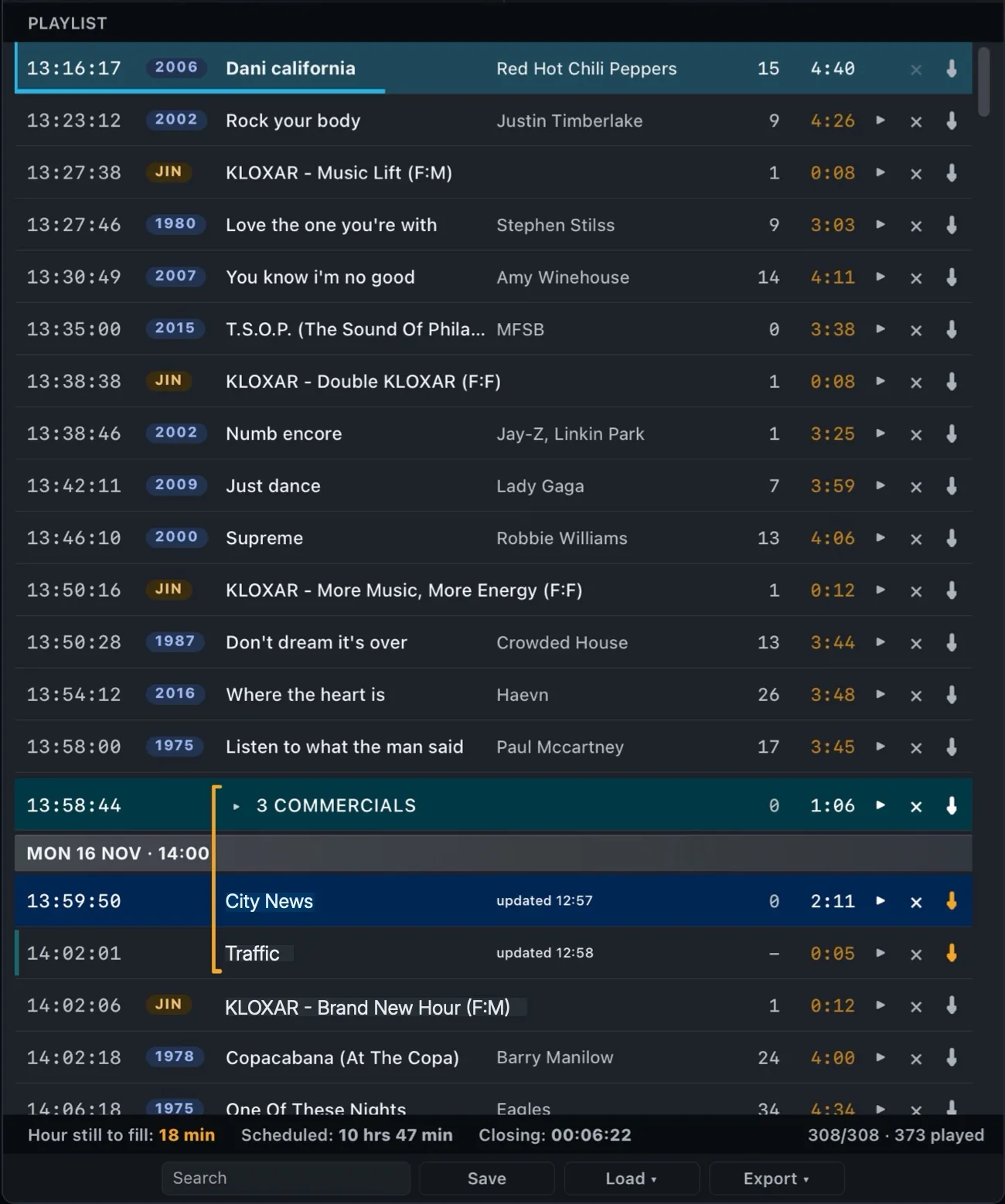
Players, playlist, jingles, clock, processor and library. You put them where you want and save your layout. Tomorrow everything is exactly the same again.
Everything can be arranged flexibly and resized. And with the separate production screen you do production tasks during the broadcast, such as recording phone calls or editing something.
A studio you will enjoy.
Made for you to broadcast, plan and create effortlessly. Every window does one thing well.
Players A and BYour main players, with non-stop mode and fully configurable to your liking
PlaylistPer hour, per show or per day
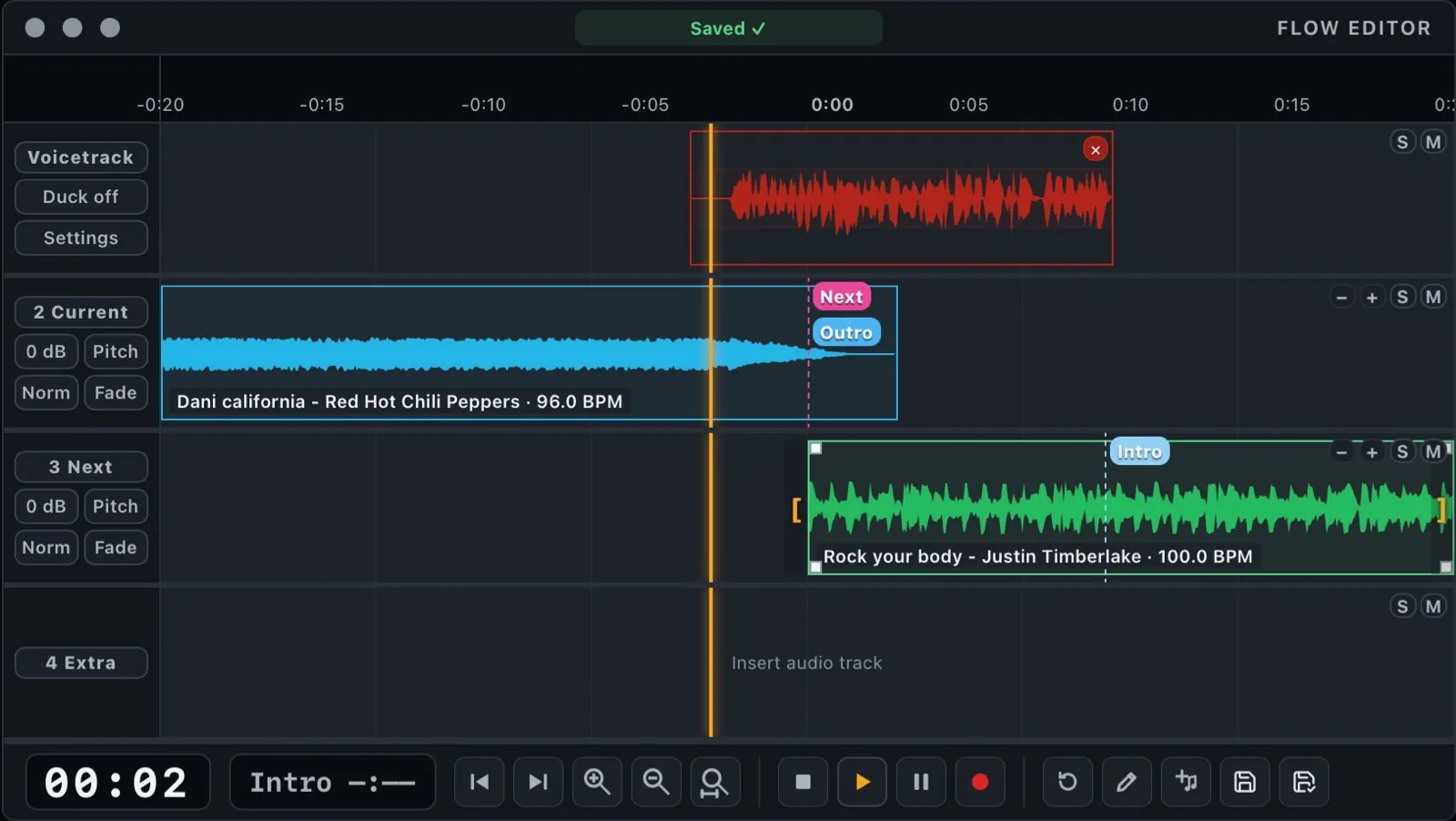
Flow EditorAdjust the transitions in your playlist, record voicetracks and make tight transitions with up to eight tracks
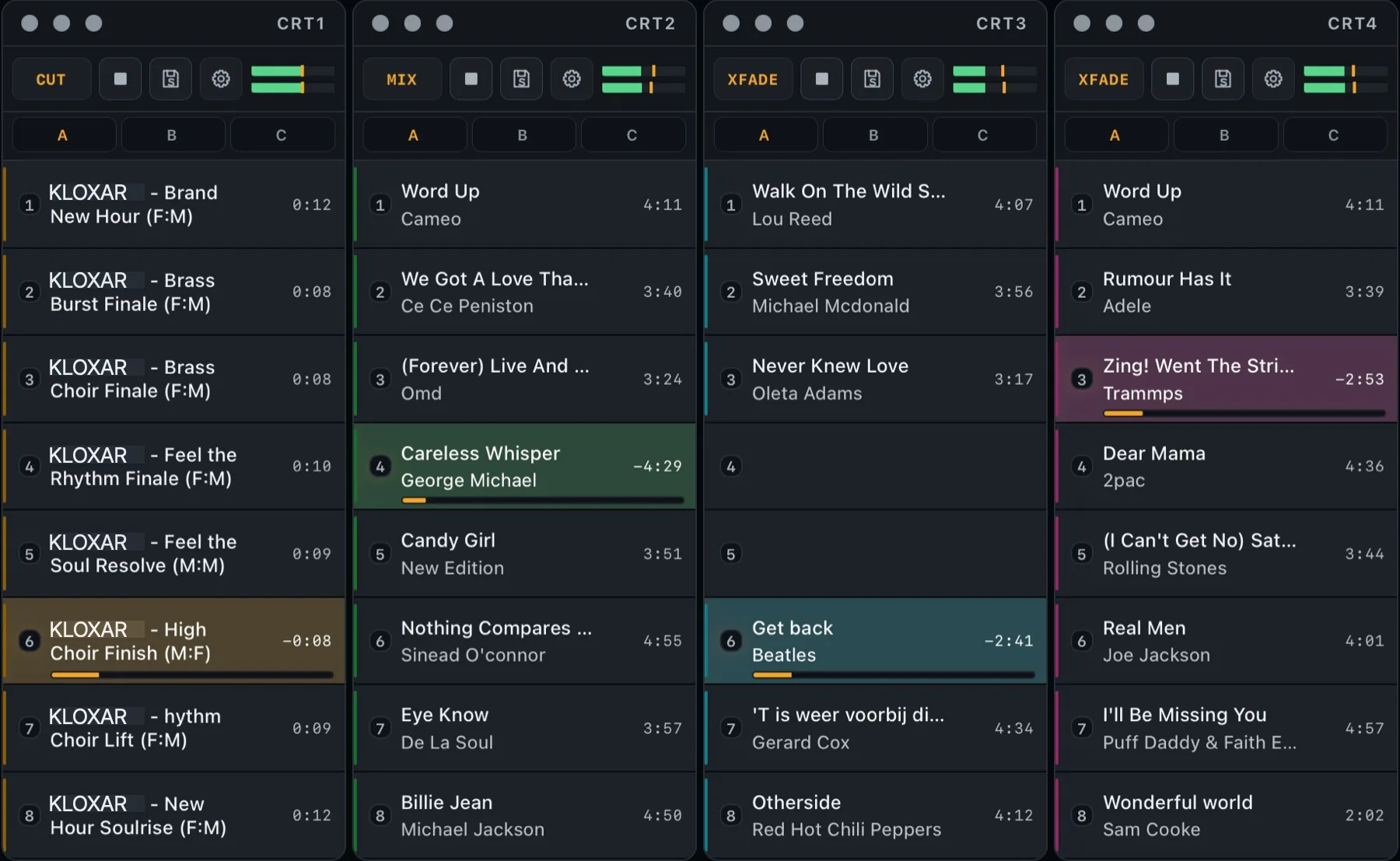
CartplayersJingles, tunes and sound branding within reach
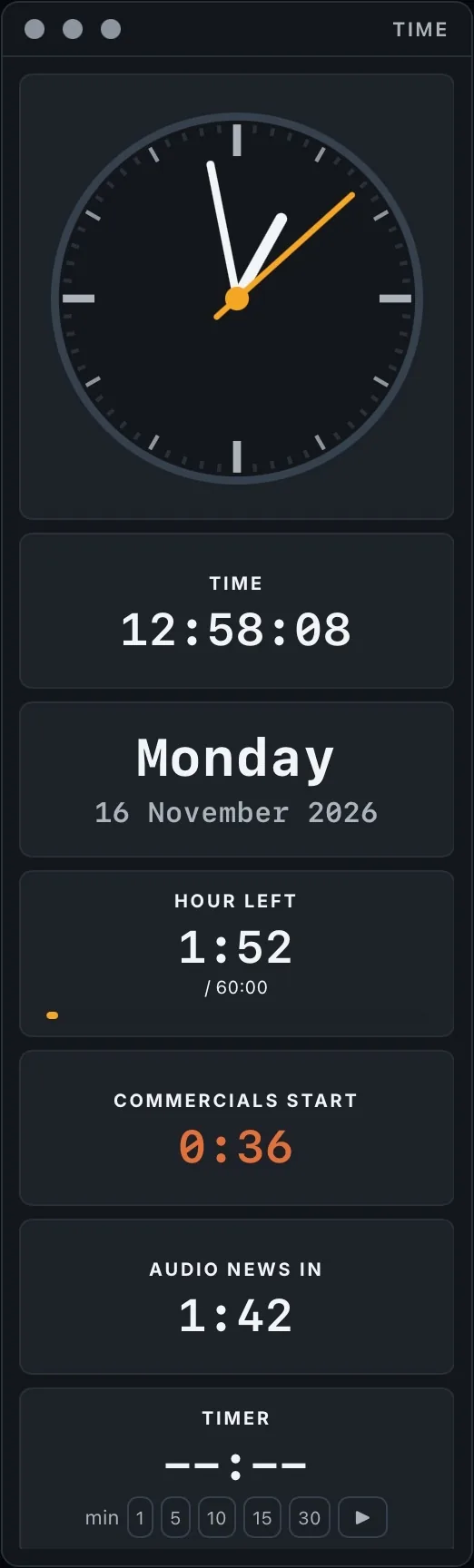
Clock and timersCountdown to commercials and news
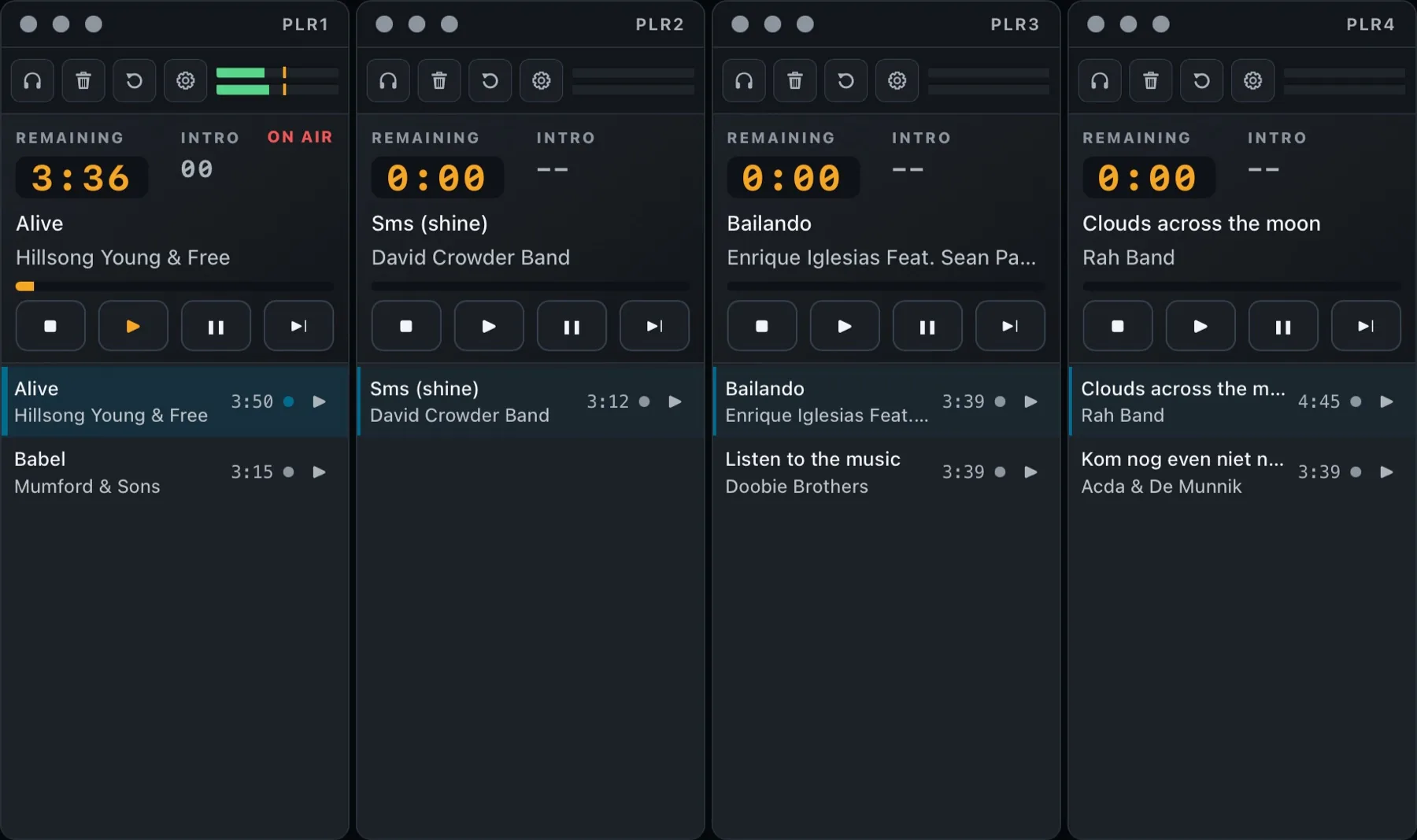
Players 1 to 4Music beds, callers, reports or a themed channel on its own output
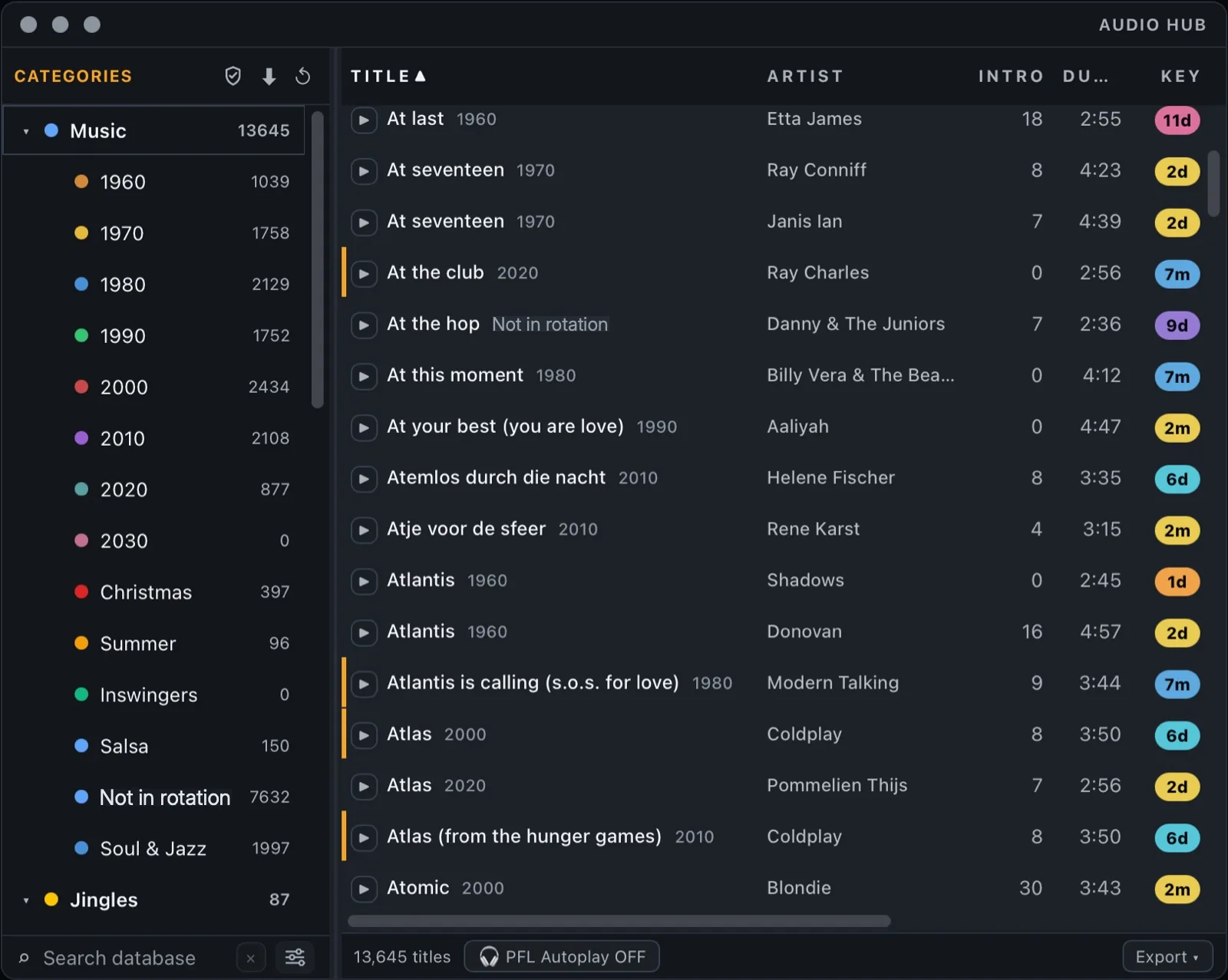
Audio HubSearch the whole database in an instant, simple and clear
The best automatic cue points ever!
Import and done. KLOXAR listens to every track itself and sets all the points for you. We are proud of that.
Cue
Smart cue point detectionEvery track starts at exactly the right moment.
Intro
Automatic intro point detectionYou know exactly how long you can talk. The screen counts down.
Next
Smart mix pointsThe next track comes in neatly on the beat.
Tempo, key and loudness are measured right away. Still want to check? With the listening check you go through everything quickly. Thumbs up, thumbs down, done.
And the data to go with it? KLOXAR gets that from its own online database, and from the well-known metadata providers. The right spelling of artist and title, the year, the duration and the cover: all correct automatically. And of course this works in KLOXAR Free too!
analyzes every track
Cuestart
0:12intro
Nexton the beat
8Akey
121BPM
-14LUFS
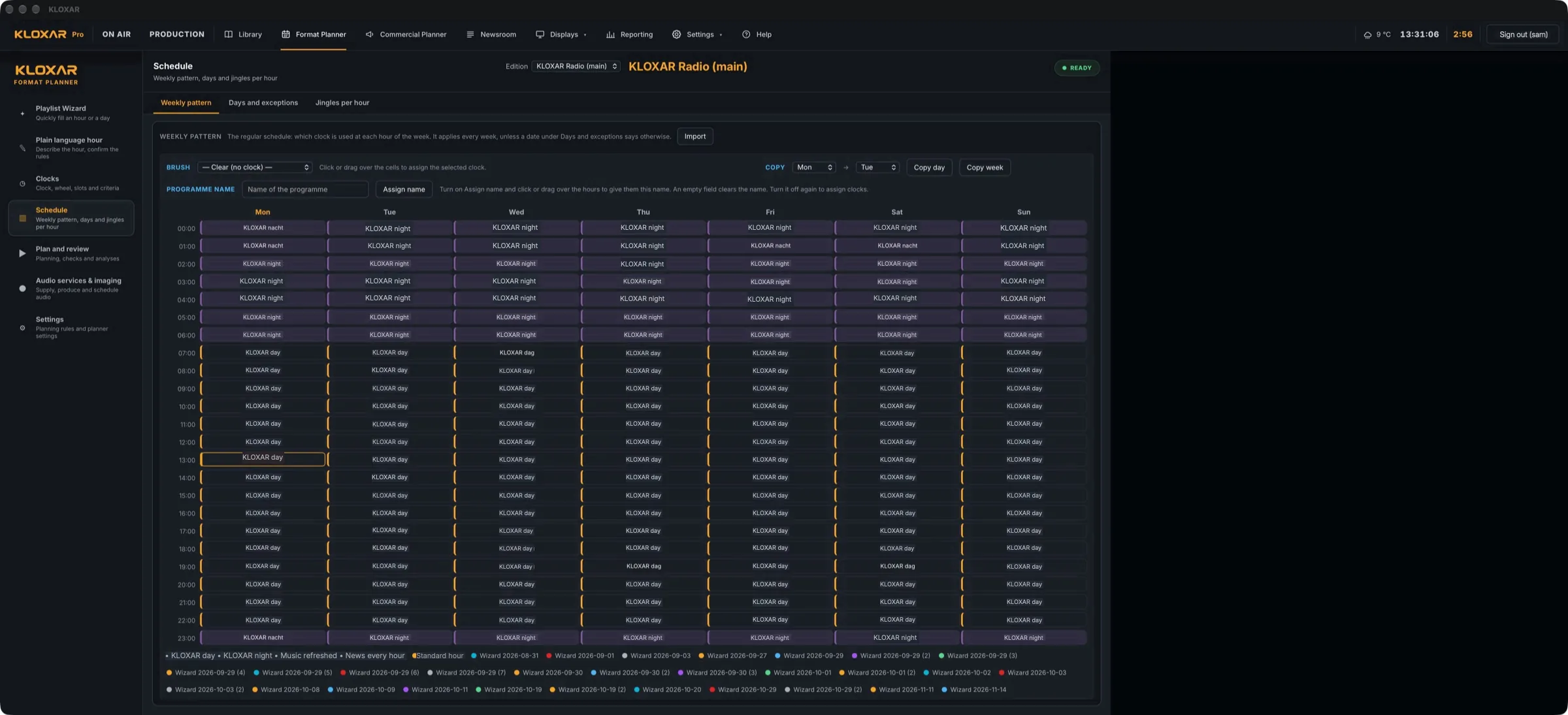
Automate your station with the Format Planner.
Set everything yourself, down to the second. Or make it easy with the Playlist Wizard: a few choices and your station is on the air.
Your station. Your rules.
Hour clocks are your superpower. You draw the hour once, KLOXAR fills it again every day. News on the hour, jingles in their place and music that suits the moment.
There is a place for that.
Every slot in your hour clock picks from your own folders, by genre, tempo, mood, energy or year. Your music is spread fairly, small folders get their turn too. And the same artist never comes back too soon.
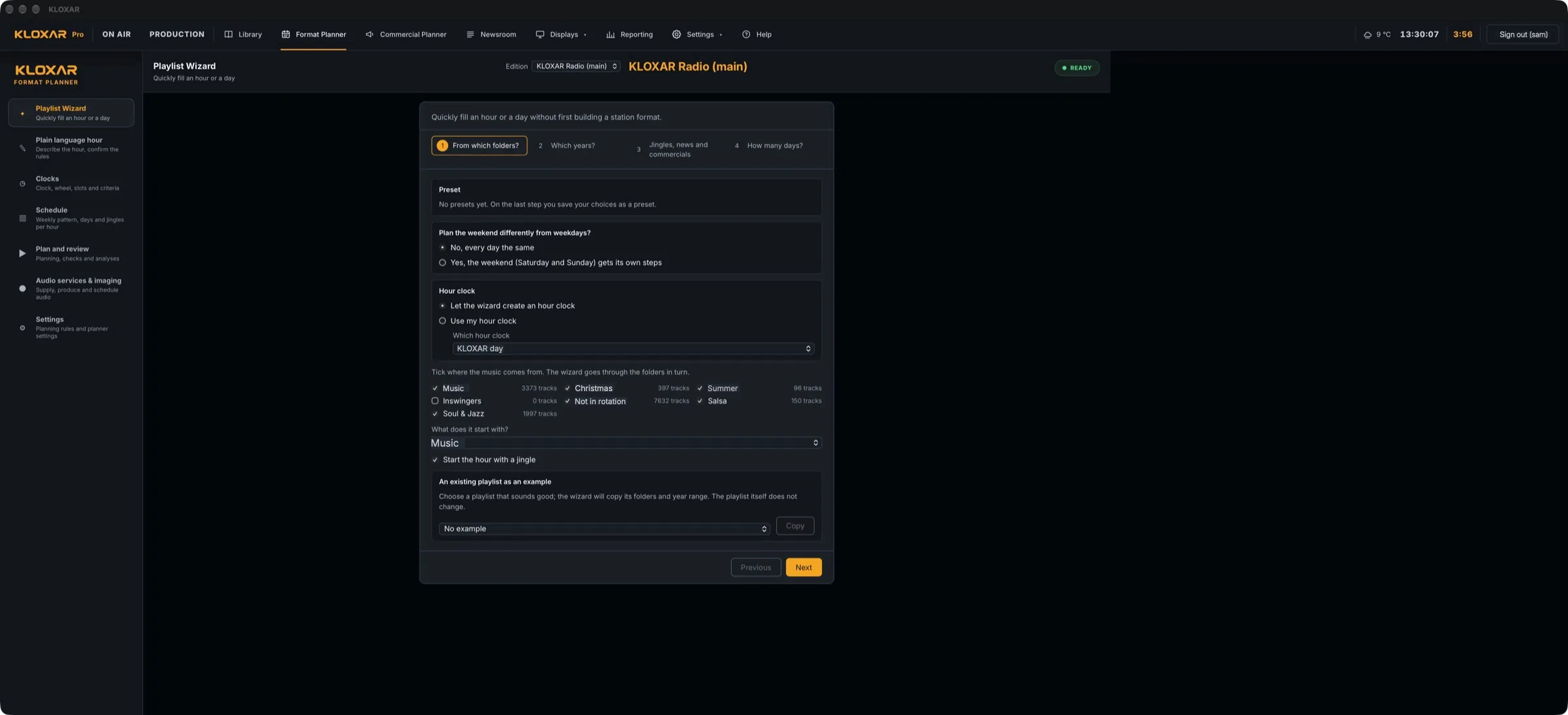
Done in no time with the Playlist Wizard.
In four steps you fill an hour or a whole day: choose which folders the music comes from, which years are allowed, whether jingles, news and commercials should go in, and for how many days. Prefer to use your own hour clock? You can do that too.
Cloud Voicetrack.
In KLOXAR itself you do it in the Flow Editor: your voice, the track that ends and the track that begins, one below the other. Your presenters without KLOXAR use Cloud Voicetrack: simply in their browser, without installation and without an expensive extra license.
Every presenter has their own access, only their own slots
Record, listen back and apply
Also from outside the studio
KLOXAR Cloud Voicetrack
‹ ›
cloud.kloxar.com/vt
Cloud Voicetrack is part of KLOXAR Pro.
Everything in one program. For your whole station.
Emergency playlistNever any silence on your station
⟳
BackupsAlso outside the studio
⏻
Mixing consolesFader start and buttons
R
RØDECaster ProAlready in KLOXAR Free
▦
Stream Deck and MIDIControl with buttons
⌂
WorkstationsOne database for everyone
⇆
Pro ServerYour own server
☁
Web dashboardView remotely
One library. The same everywhere.
Everything you import can be used everywhere: in On Air, the planner, the Flow Editor and the editing.
Every part talks to the rest.
The commercial schedule moves along with the news. The playlist knows what the planner wants. You never have to retype anything.
New versions. New possibilities.
KLOXAR keeps getting better, together with radio makers who use it every day. All updates are free.
From a single workstation to an entire studio complex.
The same software and the same way of working, whether there are two of you or twenty.
National and regional broadcasters
Fixed programming, tight hour clocks and an as-run log you can check afterwards.
Commercial radio
Ad breaks that run on time, format rules that hold and a broadcast that keeps going.
Local broadcasters
Multiple workstations and volunteers taking turns, with one consistent way of working.
Schools and universities
Campus radio and media education. Students learn to work with it without needing a technician sitting next to them.
Internet radio
A station that runs day and night, even when nobody is in the studio.
Home studios
The same software as in the studio, on a single workstation. No stripped-down version and no different way of working.
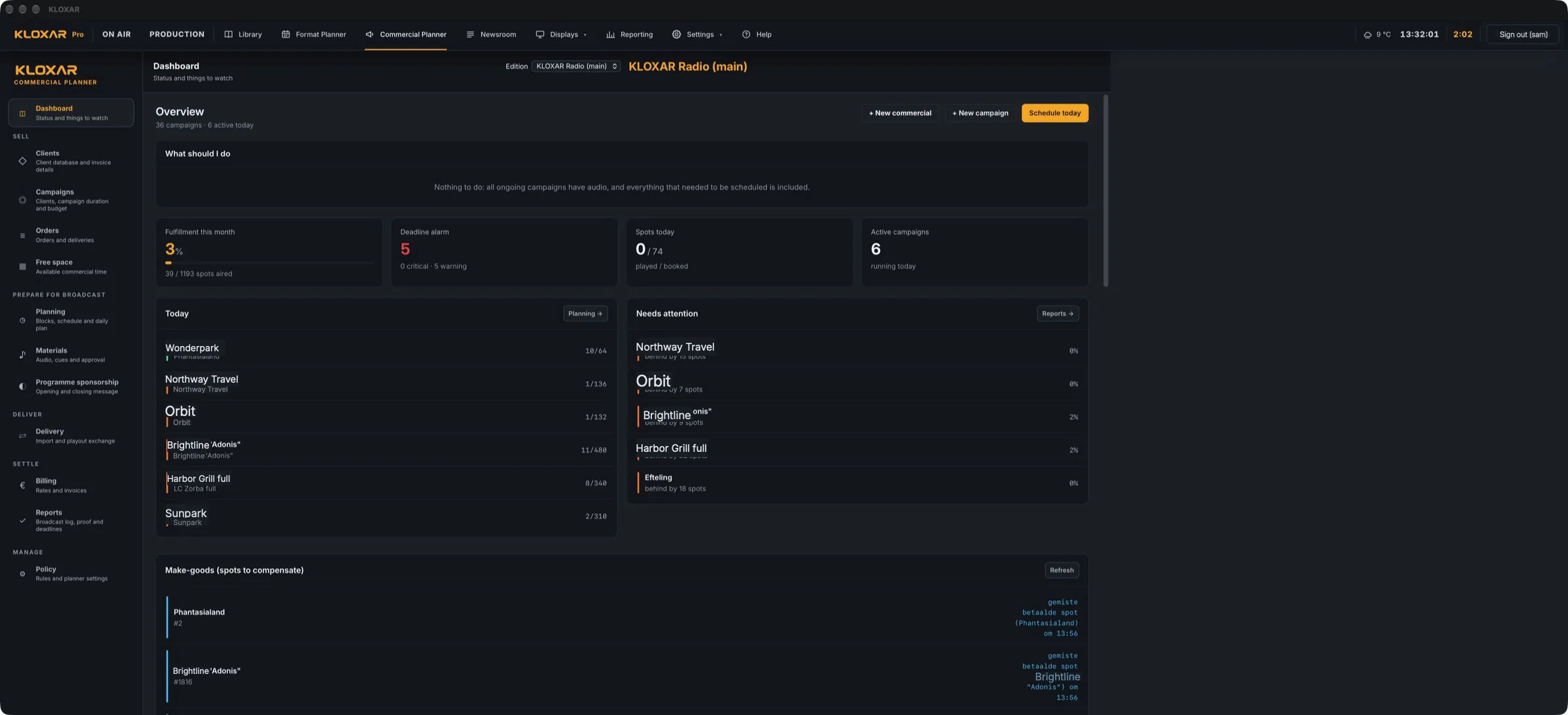
Commercials that add up. Down to the second.
From campaign to invoice, without hassle.
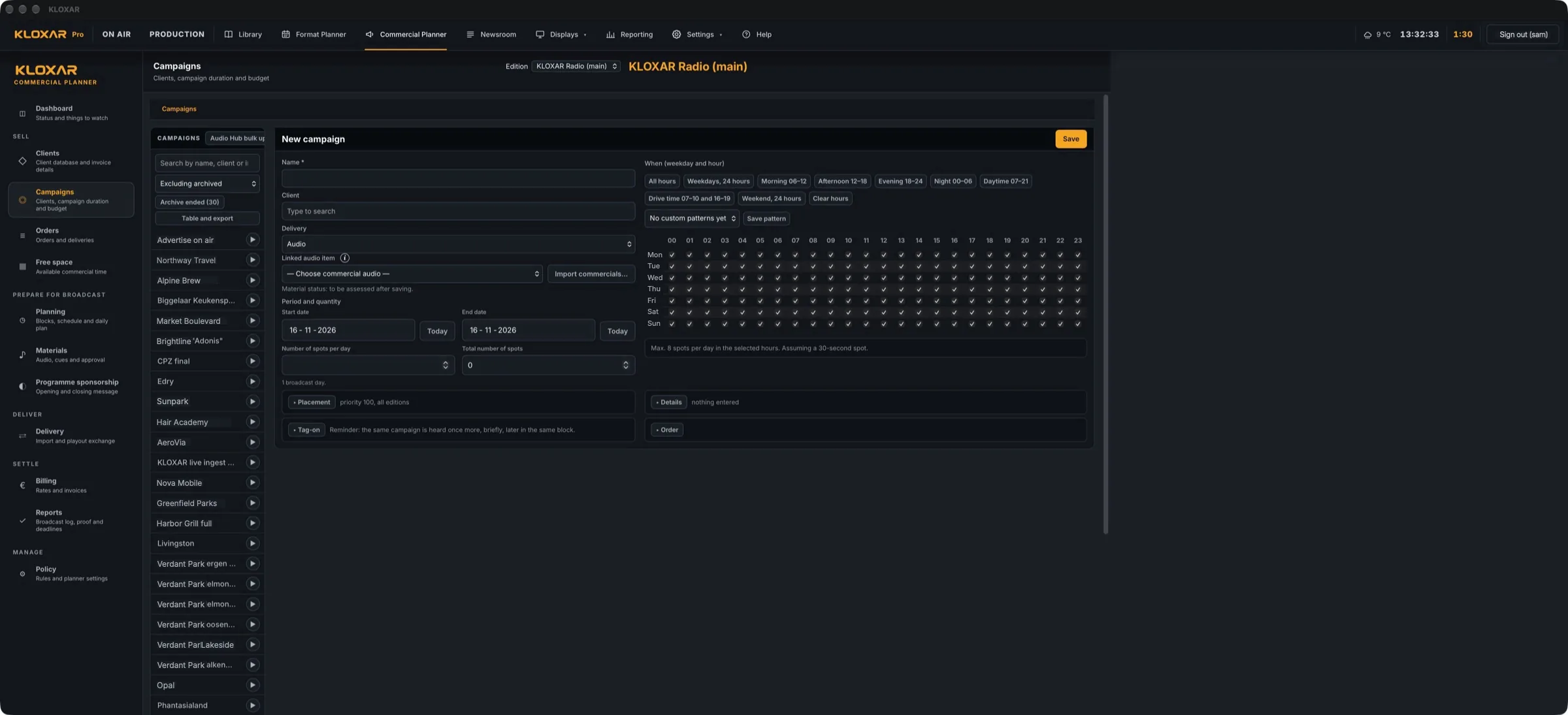
The Commercial Planner puts your spots in the right blocks, checks what was really broadcast and makes the invoice. You set up a campaign in a few clicks: when, how often and in which hours.
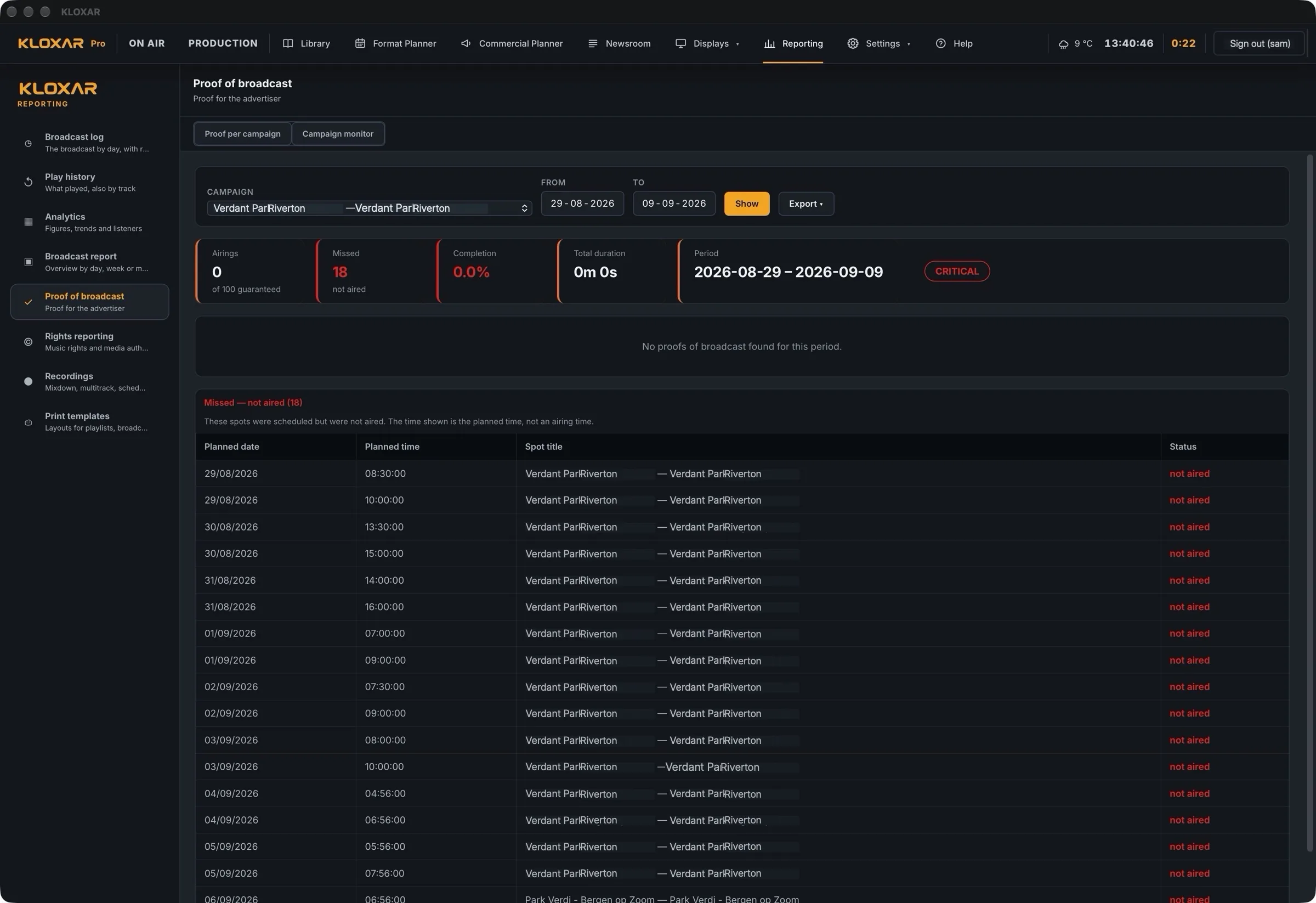
Proof for your advertiser.
For each spot you see when it was broadcast. With one click you make the proof of broadcast, and you compensate missed spots with make-goods.
Everything you play, on screen too.
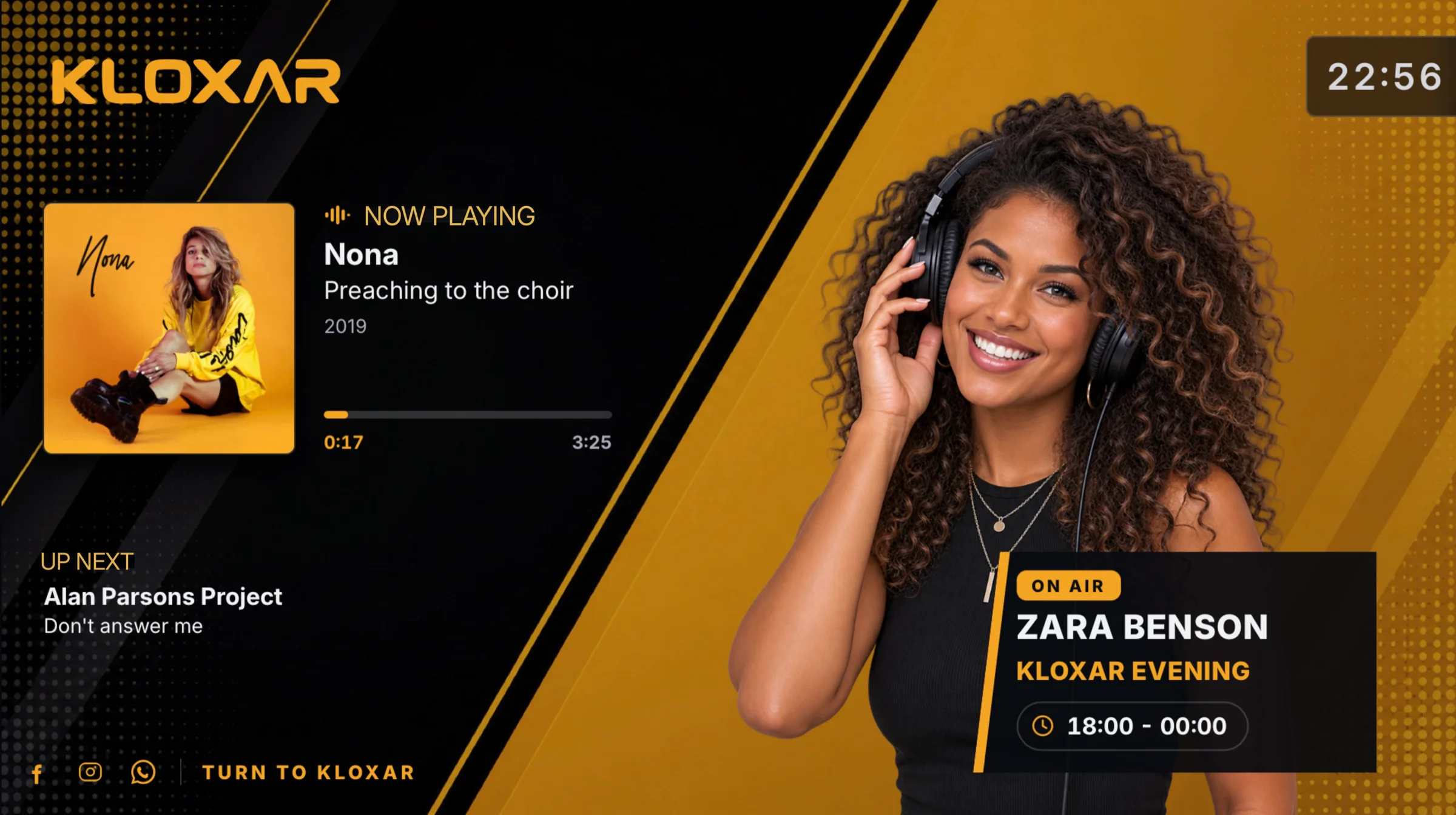
Visual Radio
On screen: what is playing, who is presenting, the clock and your house style. You set it up entirely in your own design, with drag & drop: you drag the parts where you want them. You switch live from On Air, or you let KLOXAR do it by itself.
Without expensive audio processing hardware.
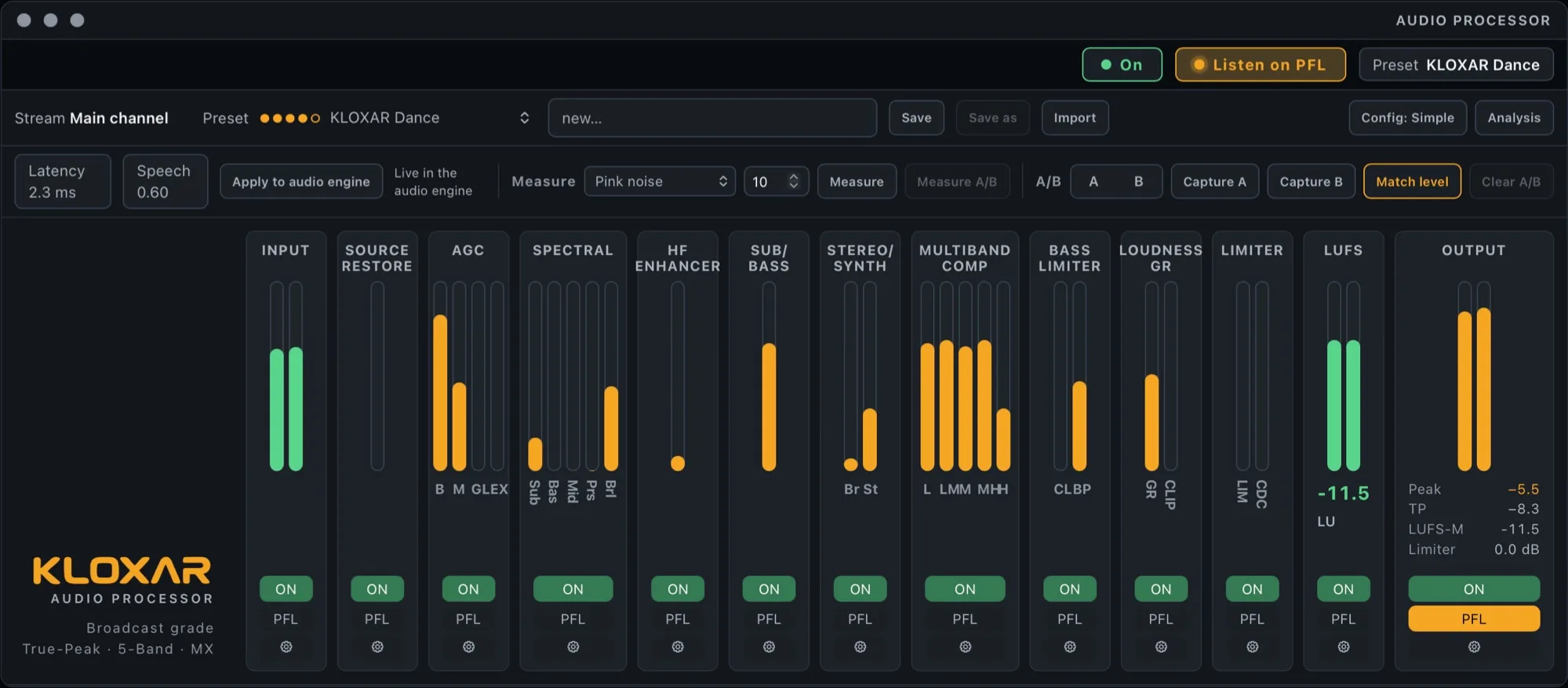
The audio processor is inside KLOXAR itself and gives your broadcast a steady, powerful sound. Stage by stage, from input to output, each with its own switch and meters. Choose one of the eight presets or make your own, and compare two settings with A/B. And all that with a latency of only 3.81 milliseconds. You no longer need expensive hardware for it.
Broadcast reliability is built in as standard.
Nobody wants silence on the radio. That is why this is in every package, including Free.
1
Never any silence.
Does it go quiet or does the list run empty? Then KLOXAR puts music on the air by itself.
2
Pick up where you left off.
After a power outage or restart KLOXAR picks up the day where it left off.
3
Update during the broadcast.
A bridging player holds the broadcast. Your listeners notice nothing.
Paying for updates?
With us all updates are always free. As it should be. In Free, in Plus and in Pro.
Your data stays yours.
Your music, playlists and planning are on your own computer. The broadcast keeps running even without internet. KLOXAR backs up your database on a schedule and also stores a copy off-site.
A whole team. One program.
Users and permissions.
Everyone gets their own login and exactly the permissions they need. In the log you see who did what. An editing workstation gets no broadcast control, whoever is sitting at it. If you want, turn on two-factor authentication with a code from an authenticator app.
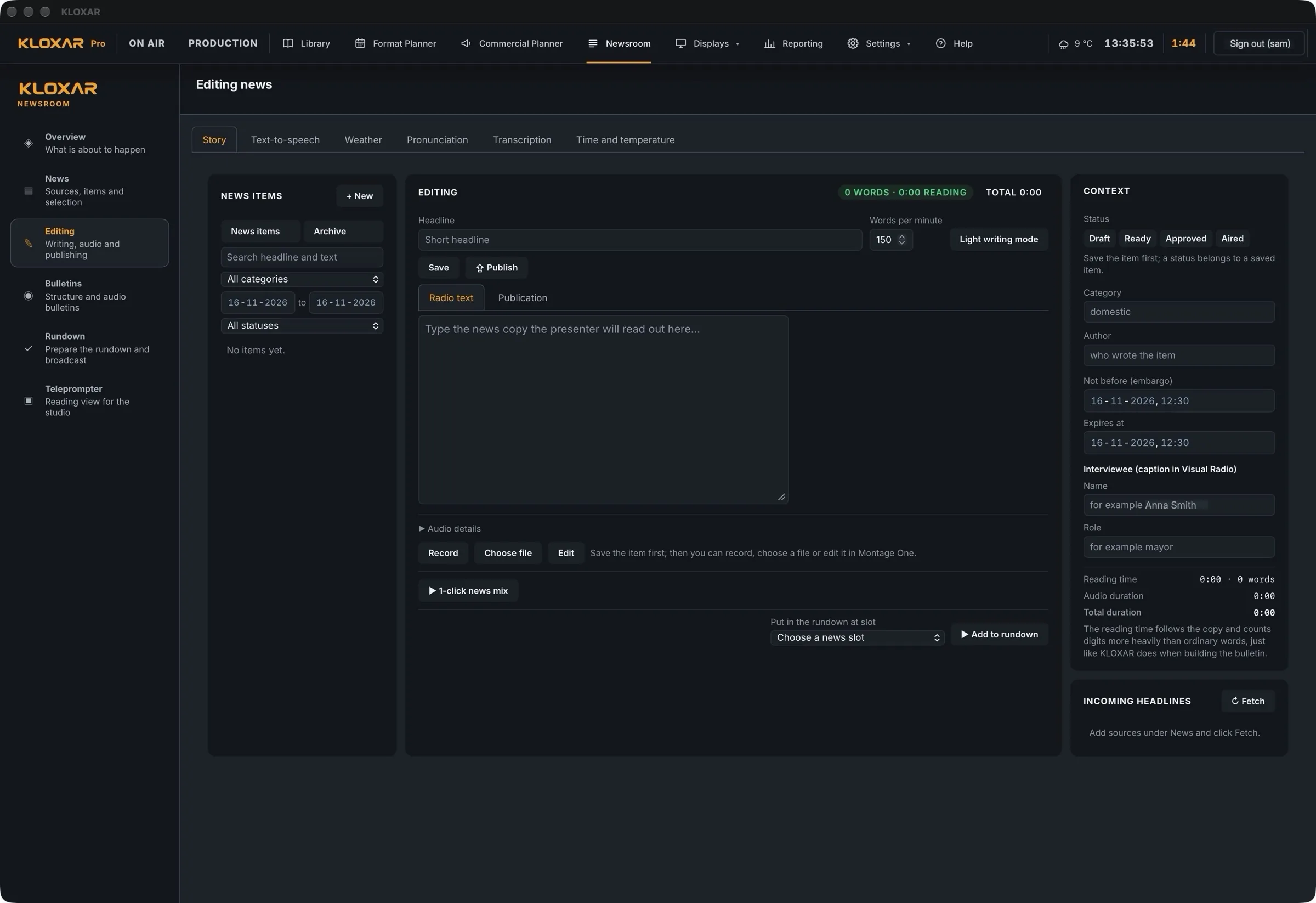
PresenterBroadcast in On AirMusic DirectorFormat PlannerEditorialNewsroomSalesCommercial PlannerManagementUsers and permissions
KLOXAR Pro
Workstations on one database.
With KLOXAR Pro your whole team works on the same station. The planner on one computer, the commercials on a second, the newsroom on a third. The broadcast runs on its own machine. Everyone works with the same data.
PlanningPlan music on computer 1
CommercialsSell and plan on computer 2
EditorialWrite news on computer 3
Pro ServerOne shared database for the whole station, with PostgreSQL or SQLite
Add a server.
Install a KLOXAR Pro Server on a machine of your own. All workstations work with the same database. You choose PostgreSQL or SQLite yourself. And your presenters can voicetrack in the browser with Cloud Voicetrack. The Pro Server comes with a Pro Playout.
Multiple playout machines.
Connect more than one broadcast computer to your station, for example for a second studio or a backup. Every Pro Playout broadcasts, and a second machine can take over when needed.
Multiple workstations.
An extra computer to prepare, plan, edit and voicetrack on, while the studio simply keeps broadcasting. As many workstations as your station needs.
Voicetrack from home.
Your presenter records their voicetracks at home and sends them to the studio. With their own KLOXAR Pro Workstation, or with Cloud Voicetrack simply in the browser.
Activate offline.
Is a computer not connected to the internet, for example in a studio on its own network? Then you activate it with an activation file, without internet on that computer. Or via the KLOXAR Pro Server on the network.
Control KLOXAR with your own hardware. You choose your mixing console by brand and model, and KLOXAR sets up the right protocol and port itself. Open a fader and the player starts. A button on the console starts the jingle, a lamp lights up during the commercial break.
ALREADY IN KLOXAR FREERØDECaster Pro
Multiple channels, fader start and button start. With one USB cable. A wizard sets everything up for you.
HARDWARE
RØDECaster Pro FREEMixing console · USB
CONNECTED
DHDMixing console
NOT CONNECTED
D&RMixing console
CONNECTED
AxiaConsole
NOT CONNECTED
LawoConsole
NOT CONNECTED
SonifexConsole
NOT CONNECTED
Stream DeckButtons
NOT CONNECTED
MIDIControllers, jog wheel
NOT CONNECTED
KeyboardShortcuts, touch screen
NOT CONNECTED
GPI and GPOContacts, lamps, relays
NOT CONNECTED
DMXStudio lighting
NOT CONNECTED
AES67 and VBANNetwork audio
NOT CONNECTED
Everything at your fingertips.
Every important action has a shortcut, and you set them yourself.
F9Live or Non-stopXCrossfade⌘Set it yourself
Broadcasting with a screen reader.
KLOXAR is built so you can also broadcast without looking at the screen. You hear what is playing, what comes next and how much time you have left.
KLOXAR works well for people with a visual impairment too.
KLOXAR speaks your language.
The whole program and the complete manual, in 21 languages. On every screen the help opens right at the correct explanation.
BGБългарски
CSČeština
DADansk
DEDeutsch
ELΕλληνικά
ENEnglish
ESEspañol
FISuomi
FRFrançais
HRHrvatski
HUMagyar
ITItaliano
NBNorsk
NLNederlands
PLPolski
PTPortuguês
RORomână
SKSlovenčina
SLSlovenščina
SRSrpski
SVSvenska
Professional radio automation
Choose your KLOXAR.
Start free with Free. You can try Plus and Pro for 90 days free. A month is too short to know what suits your station, and KLOXAR Free simply stays free forever.
You activate Plus or Pro from KLOXAR Free. If you do not take out a subscription afterwards, you automatically fall back to KLOXAR Free. No payment details are needed either.
KLOXAR FreeFreeAlways free
KLOXAR PlusFor now€ 9per monthYou keep this price as long as you stay a member · incl. VAT
KLOXAR Pro
Pro Playout€ 75 per monthPer broadcast computer · excl. VAT
Pro Workstation€ 25 per monthExtra computer, even at home · excl. VAT
Audio services and imaging (bringing in news and services and giving them your own imaging)
✓
✓
✓
✓
–
Weather reports
✓
✓
✓
✓
–
Announce time and temperature
✓
✓
✓
✓
–
Information messages
–
–
✓
✓
–
Teleprompter and run sheet
–
–
✓
✓
–
Callers and Prizes, Labels and letters
–
–
✓
✓
–
Studiochat
–
–
✓
–
–
Phoner
–
–
✓
✓
–
Display: Control Display
✓
✓
✓
✓
–
Display: Playlist
✓
✓
✓
✓
–
Display: Presenter, Producer
–
✓
✓
✓
–
Second and third screen
✓
✓
✓
✓
–
Editions, Regional programming: playback
–
–
✓
–
–
Editions: managing and controlling
–
–
✓
–
✓
Linking workstations, Workstation profiles, Working from home
–
–
✓
✓
✓
Shared database (PostgreSQL or SQLite)
–
–
✓
–
✓
Distribution, reporting and technology
Stream sources, Distribution (internet radio)
✓
✓
✓
–
–
Playlist on your website, Own web space (FTP)
✓
✓
✓
✓
–
RDS Encoder
–
–
✓
–
–
DAB+ PAD (text and image to the DAB+ transmitter)
–
–
✓
–
–
Network audio (AES67, VBAN)
–
✓
✓
–
–
Reporting for rights organizations
✓
✓
✓
✓
–
Email report, Print templates
✓
✓
✓
✓
–
Legal recording
✓
✓
✓
–
✓
Web API & webhooks, Integrations
–
–
✓
✓
✓
Users and permissions (full user management), Login protection
✓
✓
✓
✓
✓
Backup, Updates, Troubleshooting, Crash reports
✓
✓
✓
✓
✓
Tools and Settings
✓
✓
✓
✓
✓
Hardware
Any sound card as input and output
✓
✓
✓
✓
–
RØDECaster Pro: pads, fader start, on-air lamp
✓
✓
✓
–
–
Other mixing console and hardware control (MIDI, GPIO, OSC, Ember+, Telos, fader display)
–
✓
✓
–
–
Studio lighting (DMX)
–
✓
✓
–
–
License and support
Registration with email, one-year license, renewed automatically
✓
✓
✓
✓
✓
90-day trial
–
✓
✓
✓
✓
Try Plus or Pro with a button in KLOXAR (first start, Settings > License)
✓
–
–
–
–
Activate offline (activation file)
–
–
✓
✓
✓
Report bugs (portal or report button), fixed for free
✓
✓
✓
✓
✓
Forum
✓
✓
✓
✓
✓
Short questions in the portal (logged in)
–
✓
✓
✓
✓
Three kinds of Pro. Together one station.
PRO PLAYOUT
The computer that broadcasts.
Everything in Free, Plus and Pro on the computer in your studio.
Commercial Planner, Newsroom and editions
Redundancy and backup studio
Studio switchover and studio network
Can be activated offline
PRO WORKSTATION
An extra workstation, even at home.
Prepare, plan, edit and voicetrack on a second computer, while the studio simply keeps broadcasting.
Works on the same database as the studio
Format Planner, Commercial Planner and Newsroom
Editing and voicetracking
Workstation profiles and working from home
Can be activated offline
PRO SERVER
Your own server for the whole station.
The shared database and the server functions on a machine of your own. All workstations work with the same data.
Shared database: PostgreSQL or SQLite
Cloud Voicetrack for your presenters
Managing and controlling editions
Remote control via the web and Web API
Legal recording, can be activated offline
Pro Workstation and Pro Server work alongside a Pro Playout. The Pro Server is included with a Pro Playout.
Professional radio automation
Turn to KLOXAR
Professional radio automation, for every station. Start free with KLOXAR Free, or try Plus and Pro 90 days free and find out what suits your station.
Download KLOXAR Free: enter your email address, confirm that address via the email you receive, and you get the download and your login code for the portal. Your license lasts a year and renews automatically. Want to try Plus or Pro? You activate that from KLOXAR Free, with a button in the program itself.
Leave your email address first. Use the link in your email to enter your name and platform. After confirmation, you receive a personal download link and your pairing code.
Downloads will be available soon.
Come back soon: KLOXAR Free will be ready for you here.
Check your email to confirm your request. After that you will receive the download.
We use your email address for this request and your licence. Product updates only follow after a separate choice in step 2. Removal takes one short email. info@kloxar.com
Your license lasts a year and renews automatically. Free, without a subscription. You activate Plus and Pro later from KLOXAR Free.
Choose your language
KLOXAR and the manual are available in 21 languages. This website is now in English.
May we measure how the site is used?
Google Analytics shows us which pages get read, which helps us improve the site. If you say no, we do not load it and we measure nothing; the site works exactly the same.